Tips for Creating a Cozy and Productive Home Office Space
Creating a home office that feels both cozy and productive can make a big difference in your workday. Whether you work remotely full-time or occasionally need a dedicated spot for focused tasks, setting up the right environment helps you stay motivated and comfortable. Here are some practical tips to help you design a home office space that works best for you.
Choose the Right Location
Consider Natural Light
Placing your workspace near a window allows you to enjoy natural light, which can improve mood and energy levels. Avoid harsh glare on your computer screen by positioning your desk perpendicular to the window.
Quiet and Privacy
Select a spot in your home that minimizes distractions, especially if you live with others. A room with a door is ideal, but if that’s not possible, try to create a visual and physical boundary around your workspace.
Invest in Comfortable Furniture
Ergonomic Chair and Desk
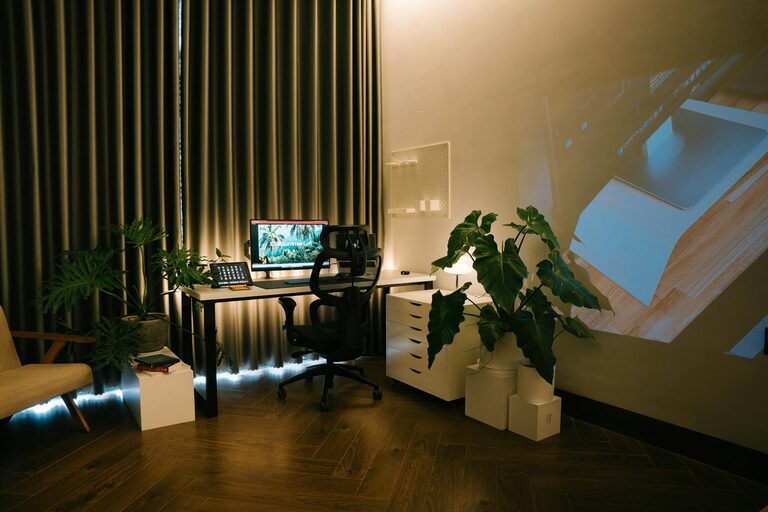
Comfort is key to productivity. An ergonomic chair supports your back and encourages good posture. Pair it with a desk at the right height for typing and writing. Adjustable desks that allow you to switch between sitting and standing can boost comfort and health.
Functional Layout
Arrange your furniture in a way that gives you enough space to move freely and reach your essential items easily. Keep frequently used tools like pens, notebooks, or your phone within arm’s reach.
Organize for Efficiency
Declutter Regularly
A tidy workspace reduces stress and mental clutter. Keep your desk clear of unnecessary items, and file papers or supplies away promptly.
Use Storage Solutions
Shelves, drawers, and organizers help keep everything in place. Labeling containers can save time when searching for materials.
Add Personal and Cozy Touches
Soft Textiles
Incorporate a cozy rug, cushions, or a throw blanket to create warmth and comfort. These elements make your workspace feel inviting.
Personal Decor
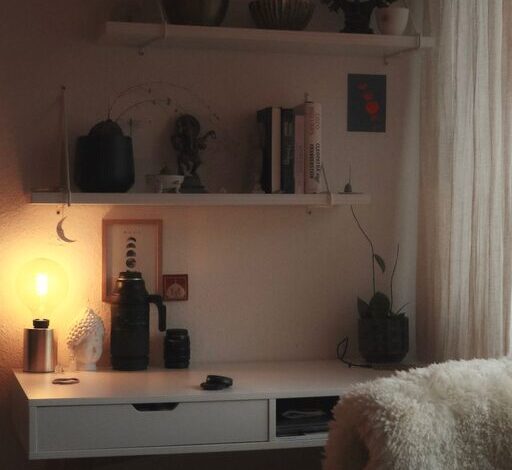
Add plants, artwork, or photos that inspire you without making the area feel cluttered. Greenery, in particular, can improve air quality and add a calming effect.
Optimize Lighting
Layered Lighting
Combine natural light with task lighting (like a desk lamp) and ambient lighting to avoid eye strain. Choose bulbs with a color temperature that matches your work style—cool white lights for focus, warm lights for relaxation.
Minimize Screen Glare
Position screens to reduce reflections, and consider using an adjustable lamp with a dimmer to control lighting intensity throughout the day.
Manage Technology Wisely
Reliable Equipment
Ensure your computer, internet, and other devices are up to date and functioning well. Slow or unreliable technology can interrupt workflow and increase frustration.
Cable Management
Use clips, sleeves, or ties to keep cords organized and off the floor to maintain a neat appearance and avoid hazards.
Establish Boundaries and Routine
Define Work Hours
Set specific start and end times for your workday to maintain balance and prevent burnout.
Create a Start-up and Shutdown Ritual
Begin each workday by tidying your space or reviewing tasks, and end it by shutting down your computer and organizing your desk. This helps transition in and out of work mode.
Enhance Air Quality and Comfort
Ventilation
Good airflow prevents stuffiness and keeps you alert. Open windows occasionally or use an air purifier if needed.
Temperature Control
Maintain a comfortable temperature with fans, heaters, or air conditioning to avoid distractions caused by being too hot or cold.
—
By following these tips, you can create a home office that feels like your personal productivity haven. A space that balances comfort and organization not only makes working from home easier but also more enjoyable. Start with small changes and gradually build your ideal environment. Your focus, creativity, and well-being will thank you!